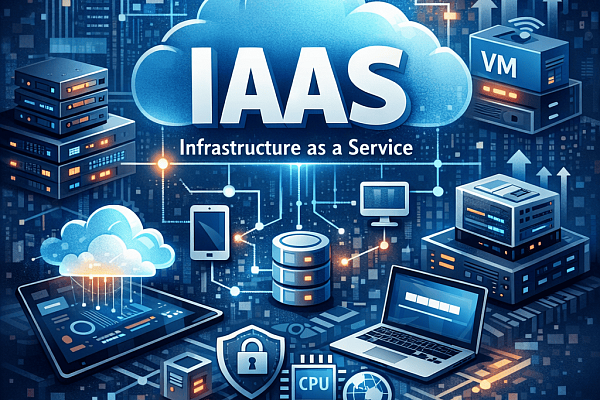
The evolution toward remote and hybrid work requires secure and reliable access to critical resources. Remote Desktop Protocol (RDP) provides this access. It enables a seamless, desktop-level connection to an office or cloud-hosted computer from any location.
What is Remote Desktop Protocol?
RDP is a network protocol that allows you to connect to and control a remote computer. The local device acts as a window, displaying the screen of the remote host and sending your keyboard and mouse inputs to it. All processing and data storage happen on the remote machine.
Core Benefits of RDP
- Centralization and Control: IT teams can manage software, data, and security on centralized hosts. This simplifies maintenance, ensures consistency, and lightens the demands on users' local devices.
- Scalability and Flexibility: Adding new users typically involves configuration, not new hardware. Employees can use a wide variety of devices to access powerful remote systems.
- Business Continuity: It provides immediate access to a full work environment from any location, supporting operations during travel, device failure, or other disruptions.
- Sustained Productivity: Users interact with the same familiar desktop and applications, whether they are in the office or remote. This preserves workflows and reduces retraining needs.
RDP vs. VPN: Key Differences
RDP and VPNs are different tools that can work well together.
- VPN creates a secure tunnel to an entire corporate network. The user's local device handles all processing.
- RDP connects directly to a specific computer. The remote host does all the processing.
A common and secure architecture uses a VPN to create an encrypted pathway to the network, and then RDP to access a specific desktop within that secure environment.
| Aspect | RDP | VPN |
|---|---|---|
| What it does | Connects you to a specific computer's desktop. | Connects your device to the entire corporate network. |
| Where processing happens | On the remote host. | On your local device. |
| Bandwidth use | Low. Only screen images and input signals are sent. | Higher. All application data travels over the network. |
| Common Use | Accessing your exact office desktop and applications. | Accessing network drives, intranet sites, and other internal services. |
Best Practice: For maximum security, use them together. A VPN creates a secure tunnel to the network, and RDP is used within that tunnel to access desktops.
RDP Deployment Models and Integration
RDP is natively supported in Windows environments through the built-in Remote Desktop Connection client. Windows Professional, Enterprise, and Server editions can act as RDP hosts, while virtually all Windows versions include the client software.
For larger deployments, scalable solutions like Remote Desktop Services (RDS) manage multiple concurrent users, session load balancing, and granular access policies. RDS enables session-based desktops where multiple users share server resources, or Virtual Desktop Infrastructure (VDI) deployments where each user receives a dedicated virtual machine.
A Focus on Security: Essential Protections
Security is paramount when implementing RDP, as improperly configured deployments have become prime targets for cybercriminals.
Encryption and Authentication
RDP sessions must enforce strong encryption, typically via Transport Layer Security (TLS) 1.2 or higher, ensuring that all transmitted data remains confidential. Network Level Authentication (NLA) should be mandatory, verifying user credentials before a full session is established. This prevents unauthenticated users from even reaching the login screen.
Multi-Factor Authentication (MFA)
Multi-factor authentication adds a critical layer of defense, requiring users to provide something they know (password) and something they have (authentication app, hardware token, or SMS code). Microsoft reports that MFA blocks 99.9% of automated account compromise attempts, making it one of the most effective security controls available.
Access Controls and Monitoring
Restrict RDP access to specific IP addresses or ranges whenever possible, using firewall rules or VPN requirements to limit exposure. Implement account lockout policies to prevent brute-force password attacks. Proactive monitoring, session logging, and policies for inactivity timeouts are essential to identify and mitigate risks in real-time.
RDP Practical Applications Across Industries
RDP is a versatile tool that serves two primary categories of need: general organizational functions that apply to almost any business, and specialized industry solutions that address specific regulatory and operational challenges.
General Organizational Use Cases
- Remote & Hybrid Work: Employees gain access to their office desktop, including specialized software, files, and network resources, from any location.
- IT Administration & Support: System administrators can perform maintenance, updates, and troubleshooting on servers and workstations remotely.
- Business Continuity & Disaster Recovery: In the event of an office closure, power outage, or other disruption, employees can immediately reconnect to their work environment from alternate locations, ensuring minimal operational downtime. Learn more about combining cloud backup and disaster recovery.
- Streamlined Onboarding & Contract Work: New employees or contractors can be provisioned with a fully configured, secure desktop on their first day without the need to ship physical hardware.
Specialized Industry Applications
- Healthcare & Telemedicine: Medical professionals use RDP to securely access patient records and high-powered diagnostic imaging applications from clinics or home.
- Financial Services & Legal: Traders, analysts, and legal teams access sensitive, real-time market platforms, financial models, or case management systems. RDP ensures that this highly regulated data never leaves the secure data center, residing only on the protected host.
- Engineering, Architecture, & Design: Professionals running GPU-intensive applications like AutoCAD, Revit, or Adobe Creative Suite can use RDP to connect to powerful workstations or servers in the office. This allows them to work on complex models and renders from a standard laptop, as all the heavy processing happens remotely.
- Education & Labs: Universities can provide students with remote access to specialized academic software, virtual lab machines, or high-performance computing clusters for coursework and research, regardless of the student's personal device capabilities.
Conclusion
Remote Desktop Protocol offers a robust, efficient method for enabling secure remote desktop access in today's distributed work environment. It centralizes management, reduces endpoint complexity, and supports productivity through a consistent user experience that transcends physical location.
Cloud4U provides enterprise-grade cloud infrastructure and managed Remote Desktop Services solutions. Our virtual desktop hosting environments include built-in DDoS protection, automated backups, 24/7 monitoring, and compliance-ready configurations to support your remote workforce securely and efficiently.